
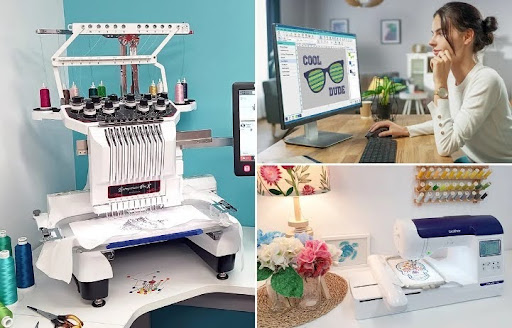

Embroidery machines help create logos, names, patches, and custom designs on many types of fabric. But one common problem many people face is file compatibility. A design that works on one machine may not work on another machine.
Many embroidery users rely on tools like HUS File Converter to change embroidery files into formats that match their machines. This step is very important because embroidery machines only read certain file types. If the file format is wrong, the machine may fail to open the design or stitch it correctly.
Making embroidery files compatible with different machines takes planning, testing, and proper digitizing. A clean file helps reduce errors, improve stitch quality, and save time during production.
In this guide, you will learn how embroidery file compatibility works, why it matters, and how to prepare files for different embroidery machine brands.
Why Embroidery File Compatibility Matters
Every embroidery machine uses special file formats. These files contain stitch data that tells the machine:
- Where to place stitches
- Which color to use
- What stitch type to follow
- How the design should move
If the machine cannot read the file, the embroidery process stops before it even starts.
Good file compatibility helps:
- Improve stitch quality
- Reduce machine errors
- Save production time
- Prevent thread breaks
- Keep designs clean
A compatible file also helps embroidery run smoothly on different machines.
Understanding Embroidery File Formats
Embroidery machines do not use normal image files like JPG or PNG. They need stitch-based files.
Different machine brands use different formats.
Common Embroidery File Formats
| File Format | Machine Brand |
| DST | Tajima |
| PES | Brother |
| HUS | Husqvarna Viking |
| JEF | Janome |
| EXP | Melco |
| VP3 | Viking and Pfaff |
Each format stores stitch data differently.
Some machines can read multiple formats, while others only support one or two file types.
How Embroidery File Conversion Works
Embroidery conversion changes one file format into another.
For example:
- PES to DST
- HUS to JEF
- EXP to VP3
The goal is to make the design work properly on another embroidery machine.
What Happens During Conversion
During conversion, software changes:
- Stitch commands
- Color settings
- File structure
- Machine instructions
But simple conversion is not always enough.
Some designs need manual editing after conversion to keep stitch quality smooth.
Why Some Files Do Not Work Correctly
Many embroidery users think file conversion is automatic and perfect every time. But embroidery files are complex.
Some problems happen because:
- Machines use different stitch systems
- Hoop sizes vary
- Thread settings change
- Stitch density may not match
This is why some converted files may stitch poorly even if the machine opens them.
Start With A High-Quality Embroidery File
Good compatibility begins with a clean embroidery file.
Poor Files Cause More Problems
Low-quality files may create:
- Broken stitches
- Gaps
- Thread breaks
- Uneven designs
A clean file is easier to convert and works better across different machines.
Manual Digitizing Creates Better Results
Manual digitizing helps improve compatibility because expert digitizers control:
- Stitch paths
- Density
- Underlay
- Stitch direction
Auto-digitized files often create more conversion problems.
Use Professional Embroidery Software
Embroidery software helps convert files into different formats.
Popular Embroidery Software
Common software programs include:
- Wilcom
- Hatch
- Pulse
- Embrilliance
- Brother PE-Design
These programs allow users to:
- Convert formats
- Resize designs
- Edit stitches
- Preview embroidery
Good software improves file accuracy during conversion.
Understand Machine Limitations
Every embroidery machine has limits.
Hoop Size Limits
Some machines only support small hoop sizes.
If the design is too large:
- Parts may get cut off
- Stitching may fail
- Alignment problems may happen
Always match the design size to the machine hoop.
Stitch Count Limits
Some older embroidery machines cannot handle large stitch counts.
Heavy designs may:
- Slow the machine
- Cause freezing
- Increase thread breaks
Reducing unnecessary stitches can improve compatibility.
Keep Stitch Density Balanced
Stitch density affects how the file performs on different machines.
High Density Problems
Too many stitches may:
- Make fabric stiff
- Break thread
- Cause machine stress
Low Density Problems
Too few stitches can:
- Leave gaps
- Create weak embroidery
- Show fabric underneath
Balanced density helps files work better across multiple embroidery machines.
Choose Safe Design Sizes
Large and detailed designs may not work smoothly on every machine.
Keep Designs Simple
Simple embroidery designs usually convert better.
Small details and thin lines may change during file conversion.
Clean shapes create more stable embroidery files.
Avoid Tiny Text
Very small letters often stitch poorly after conversion.
Simple fonts with bold shapes work best.
Test Files Before Production
Testing is one of the most important parts of embroidery compatibility.
Why Testing Matters
A test stitch helps find:
- Thread breaks
- Wrong colors
- Stitch gaps
- Pulling problems
Even if the machine opens the file correctly, testing ensures the design stitches properly.
Test On The Real Fabric
Always test on the same fabric used for final production.
Different materials react differently to stitches.
Stretch fabrics, thick fabrics, and thin fabrics all need different support settings.
Use Proper Stabilizers
Stabilizers support the fabric during embroidery.
Without stabilizers:
- Fabric may move
- Designs may wrinkle
- Stitches may shift
Common Stabilizer Types
Cut-Away Stabilizer
Best for:
- Stretch fabrics
- Heavy embroidery
Tear-Away Stabilizer
Best for:
- Stable fabrics
- Simple designs
Water-Soluble Stabilizer
Used for:
- Towels
- Lace
- Delicate materials
The right stabilizer improves stitch quality and compatibility.
Understand Thread And Needle Settings
Different machines may use different thread tensions and needle systems.
Wrong Needle Settings Cause Problems
Poor needle setup can:
- Break thread
- Damage fabric
- Create skipped stitches
Quality Thread Helps Performance
Cheap thread often causes:
- Fraying
- Breaks
- Uneven stitching
Using good thread helps embroidery run smoothly on different machines.
Why Experience Matters In File Conversion
Embroidery file conversion is not only about software. Experience also matters.
Experienced digitizers understand:
- Stitch behavior
- Machine movement
- Fabric handling
- Design balance
They know how files will stitch on real machines.
At Absolute Digitizing, embroidery files are carefully checked before conversion to help ensure smooth performance on different embroidery machines.
Common File Conversion Mistakes
Many embroidery problems happen because of simple mistakes.
Ignoring Machine Format Requirements
Always check which file format the machine supports.
Resizing Files Incorrectly
Large size changes can damage stitch quality.
Resizing should be done carefully inside embroidery software.
Skipping Test Stitches
Testing helps catch errors early.
Skipping this step increases the risk of production problems.
Using Poor Artwork
Bad artwork creates weak embroidery files.
Clean and sharp artwork always works better.
Tips To Improve Embroidery File Compatibility
Here are some simple ways to improve compatibility.
Use Clean Stitch Paths
Smooth stitch paths help machines run more efficiently.
Reduce Unnecessary Stitches
Too many stitches increase machine stress.
Keep Color Changes Simple
Too many color stops slow down production.
Save Backup Files
Always keep the original embroidery file before conversion.
This helps if edits are needed later.
How Technology Helps Modern Embroidery
Modern embroidery software has improved file compatibility greatly.
Today’s tools help users:
- Preview designs
- Simulate stitching
- Edit stitch settings
- Convert formats quickly
But software still cannot fully replace human skill.
Experienced digitizers understand how stitches behave on different fabrics and machines.
This knowledge helps create stronger embroidery files.
Industries That Need Compatible Embroidery Files
Many industries use different embroidery machine brands.
Fashion Industry
Clothing brands often use multiple embroidery machines for large production runs.
Promotional Product Businesses
Promotional companies stitch logos on:
- Bags
- Caps
- Towels
- Uniforms
Compatible files help maintain consistent quality.
Sports Teams
Sports embroidery often requires files that work on different commercial machines.
Home Embroidery Businesses
Small embroidery shops also use file conversion when upgrading or changing machines.
Signs Of A Good Compatible Embroidery File
A strong embroidery file should:
- Open smoothly on machines
- Stitch cleanly
- Avoid thread breaks
- Keep design shapes balanced
- Work well on fabric
If the design looks clean after testing, the file conversion process was likely successful.
Why Quality Digitizing Makes A Big Difference
Good digitizing improves embroidery compatibility from the beginning.
Professional digitizers create:
- Better stitch paths
- Balanced density
- Strong underlay
- Cleaner embroidery
This helps files work better across different embroidery machines.
Absolute Digitizing focuses on creating machine-ready embroidery files that are tested carefully for smooth stitching performance.
Final Thoughts
Making embroidery files compatible with different machines is an important part of modern embroidery. Every embroidery machine uses special file formats and settings, so proper file preparation helps avoid many common problems.
Good compatibility starts with quality digitizing, balanced stitch settings, and proper testing. Clean embroidery files improve stitch quality, reduce machine errors, and create smoother production results.
While modern embroidery software has made file conversion easier, experience still plays the biggest role. Skilled digitizers understand how designs behave on real machines and fabrics.
With the right preparation and testing process, embroidery files can work smoothly across many different machine brands and help create clean, professional embroidery results every time.